a terminal word processor
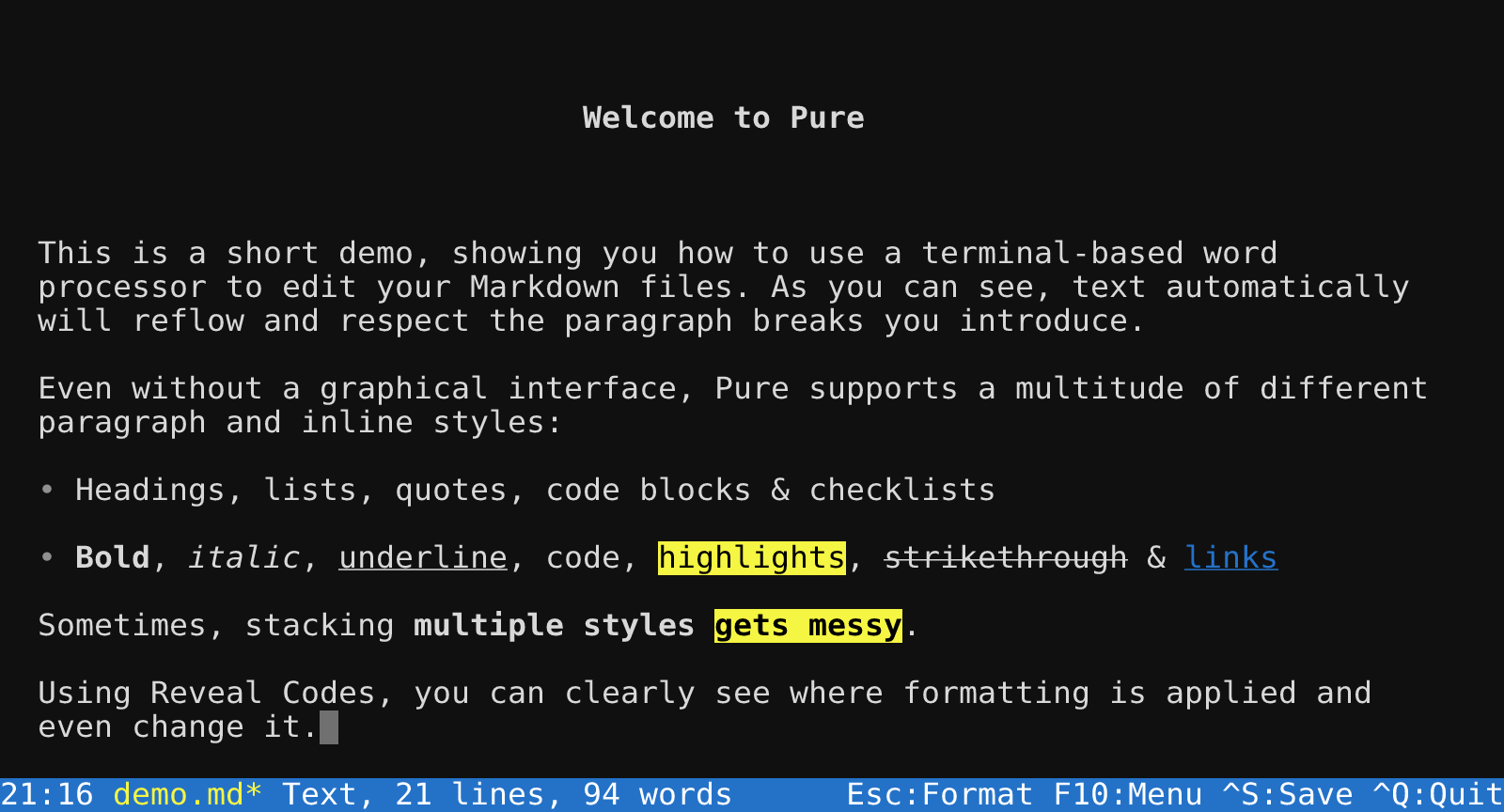
Pure is a word processor for the terminal. Instead of plain text and markup syntax, it works with the structure of a document — headings, lists, quotes, code blocks — and shows it formatted while you type. It reads and writes Markdown, HTML, Gemini, and FTML.
Wrap paragraphs into quotes and lists (and lift them out again), horizontal rules, definition lists, and an optional config file. Cursor movement and redrawing got about 2–3× faster.
Opens and saves HTML and Gemini files. Tables are shown, but are read-only for now.
Link editing (Ctrl+K), Open and Save As dialogs with tab completion, and untitled documents.
Headings, quotes, code blocks, numbered, bullet & check lists, and definition lists
Bold, italic, underline, strikethrough, highlight, inline code, and links
Word wrapping, mouse selection, undo & redo, and clipboard support
A menu bar (F10) and a format menu (Esc), everything reachable from the keyboard
Reveal Codes (F9), just like in WordPerfect
Works great as the editor for terminal mail clients like Elma
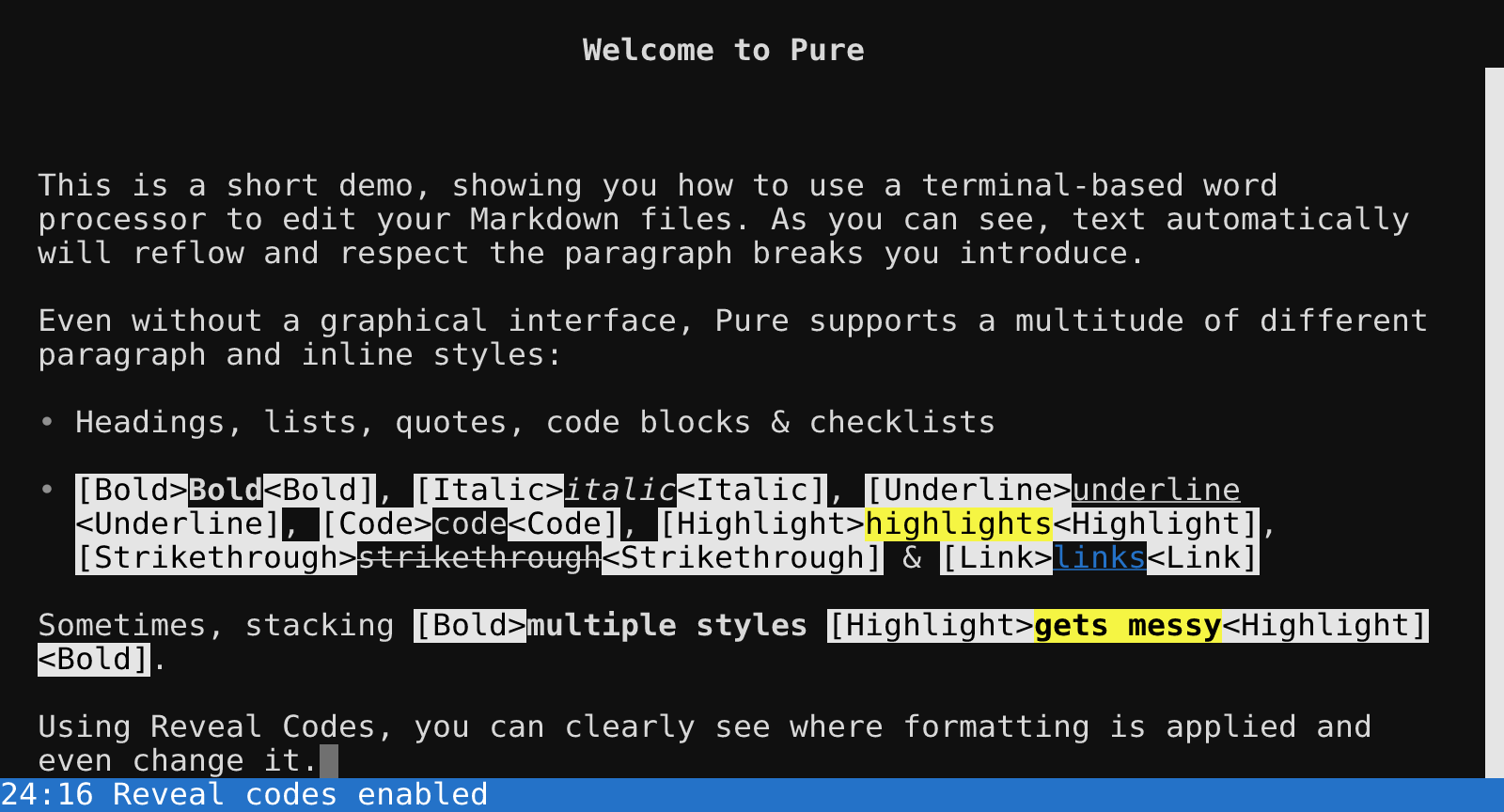
Reveal Codes shows exactly where formatting starts and ends.
Current version is 0.7.0. If you have Rust installed, do a cargo install pure-tui. Pre-built binaries for Linux, macOS, and Windows are on the releases page.
The sources are available via git clone https://github.com/roblillack/pure.
Run pure notes.md to open (or create) a document — the format follows the file extension. Run pure without arguments to start with an untitled document. See the user guide for all the details.
Note: Pure is still alpha. It is usable for daily work, but expect some rough edges.
Pure is free software released under the MIT license.
 tack.
©2002–2026 Robert Lillack.